
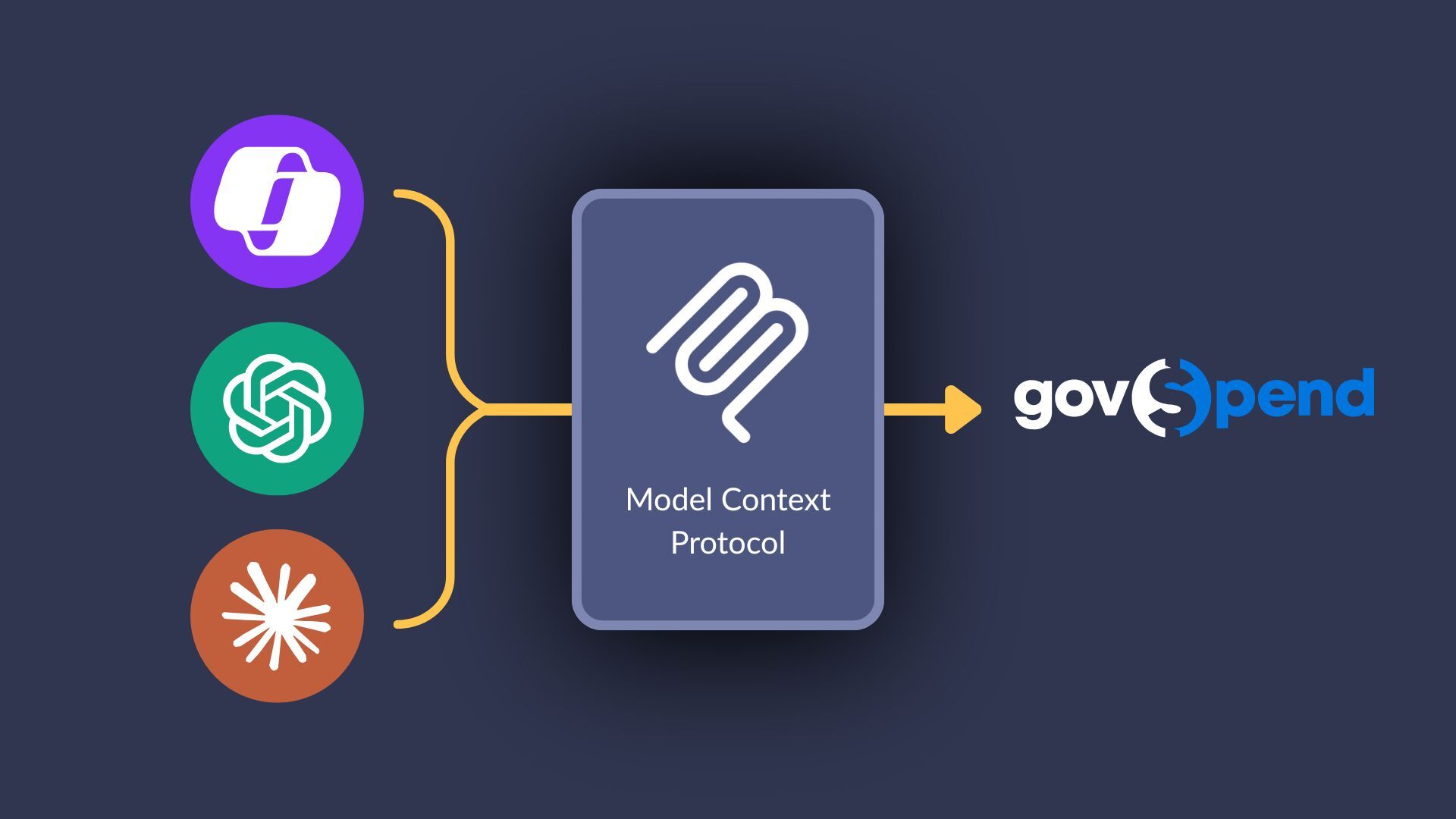
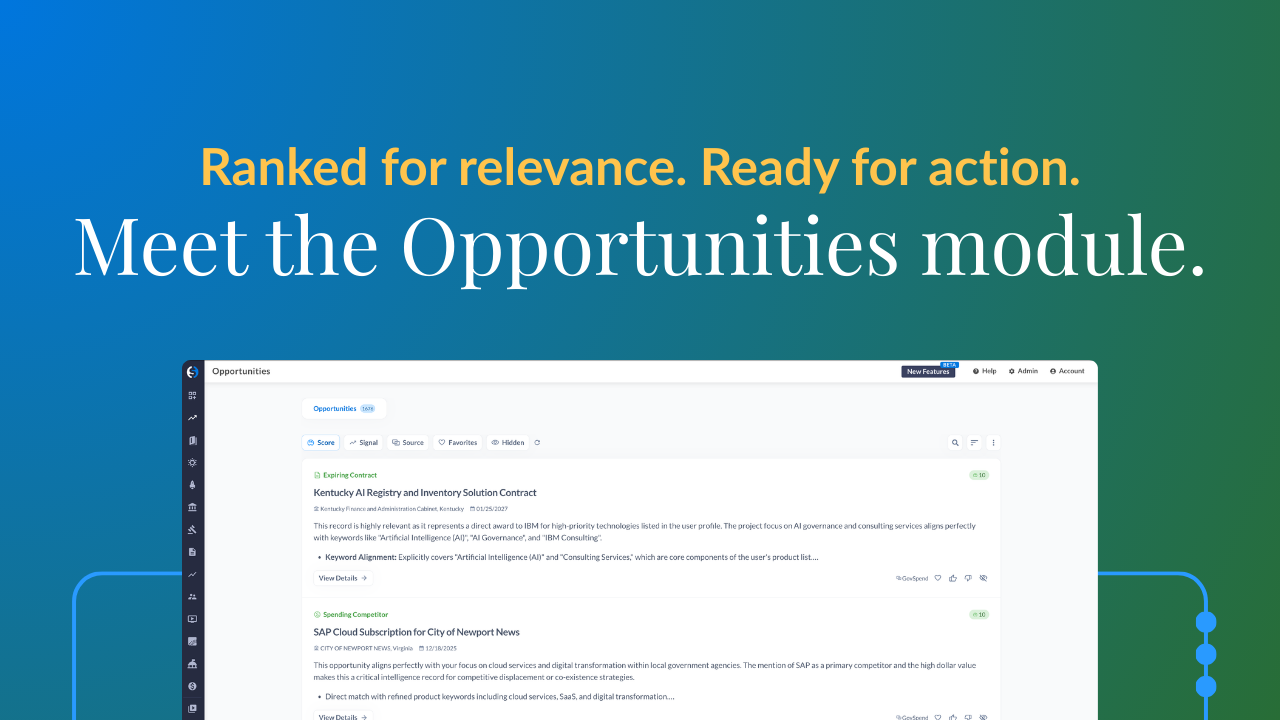
Welcome. Welcome. It is Thursday, May twenty first, and we have some exciting things to go over today. Lots of registrants, a lot of folks wanting to learn how to really action the data today. We have a lot in store for you. So I'm gonna give folks a moment to trickle in, get settled in, grab a snack, grab a notebook because we're gonna be dropping sales secrets after sales secrets today. But as we get kicking off, I would love for everybody to use kind of like the little chat function and just enter what industry are you calling in from. Is it ed tech, construction, cyber, software, health, staffing, right, the full gamut. Right? If it if you sell to government, then we can GovSpend has something for you. So go ahead and use the little chat function and enter what industry are you calling in from today. I also love seeing some familiar faces that have registered today. I love it when you guys attend my webinars. You know I always save some really good stuff for these. A few more moments as folks are trickling in and settling in. Happy Thursday, happy Friday eve of a long weekend. I'll give folks maybe one more moment and then we'll get into the slides and fun stuff. I'll try to keep it exciting. Should really find some music as folks are trickling in. Good vibrations, marky mark. I'll do that for the next webinar. Awesome. Alright. As folks are trickling in, let's start to kick things off. Welcome. Welcome. From data to deals webinar, best practices and enhancements for your go to market strategy. You know, what are the things that GovSpenders make mistakes? Whether you are interested in purchasing a subscription to GovSpend, want to know how to capitalize on your investment or your subscription, take advantage of all the benefits, and not succumb to the mistakes that first time GovSpend users often make. Lots and lots of fun stuff for you all today. But to kick things off, my name is Paige Mokler. I've been with GovSpend for getting close to a decade now. I've worked with thousands, thousands of businesses leveraging GovSpend's data from consulting data strategy to implementing the data into their workflows, integrating the data, discussing, you know, prospecting parties and workshops to help sales development, business development, rev ops, anybody who needs GovSpend data, right, to take advantage of and maximize and turn it into realized revenue, whether that's saving time on resources, making you money, increasing your bid to win ratio. I'm gonna leave each and every one of you with something that's actionable that you can rinse and repeat, tackle today regardless of what industry you're calling in from. There's a little bit of everything for everybody today. Let me go ahead and go to the next slide. So what is on the agenda? What's on the docket for today? Well, like I mentioned, we're gonna talk about what are some of the common mistakes GovSpenders make. Right? What are the biggest workflow gaps and missteps that slow down that ROI and causes opportunities to be overlooked? How to make the simple things or action the simple things simply, actioning the data, how to quickly turn the alerts and insights and leads into actionable outreach and conversations. We're gonna be talking about increasing your bid to win ratio, what are practical step by step strategies, follow-up, and relationship building things that are often missed? You know, I I don't want anybody like, nobody should be purchasing GovSpend just for bids. Right? People purchase GovSpend to do things differently. If you want a bid tool, right, there's so much other singular bid tools out there. But if you wanna do something outside of the box and what nobody else is doing, GovSpend is for you. I'm also gonna be sharing some hot tips and tricks on my number one sales secret when I was at sales here at GovSpend, how I got into the number one sales spot, month over month, quarter over quarter. How did I use GovSpend's database? And how do we at GovSpend use our own database to sell to government agencies and vendors alike? What are some rinse and repeatable steps that can scale through consistent pipeline growth and measurable value and hopefully leave you with some quick wins today. Right? Whether that's building a pipeline, identifying new opportunities, or leveraging GovSpend in a way that you never thought of. So first and foremost, what are common GovSpend user mistakes? Well, one of my favorite ones, which isn't necessarily a bad thing, but too many leads. We get a little analysis paralysis because we're not being selective enough. There's no way, unless you have a lot of AI tools and are using, like, our our partnership with Iris for RFP writing and responses, you know, sometimes they have too many leads. There's if you have five hundred open opportunities or five hundred leads and a single salesperson or a single BDR person is actioning those, that's too much. You're not being selective enough. You're not being you're not prioritizing the the higher, more lucrative, higher probability opportunities that are most relevant to your industry and are specked towards you to win. Additionally, some people are too selective and too limiting, and there's not enough leads because they have to be just right. So you're missing that sweet spot in the gray area where an agency may be open minded or subject to multiple award or maybe those mixed bag bids is what I like to call our mixed bag opportunities where it's a large capital improvement project and a portion of it is what you offer. Right? We're missing out on those really large opportunities. Another common mistake that we see initial GovSpend users make is strategic overload. We're trying to do too many things all at once and just spraying and praying, hoping that something lands. Please, please be mindful that agencies, government agencies, public sector, higher education, k through twelve, state, county, municipal, fire fire departments, police, they're all spending billions of dollars annually on spam filtering. Their contacts are public. They're on the website. They're on purchase orders. There's paper trails everywhere. So you can imagine that they get way overloaded with the spray and pray method, and long gone is that method. So if you're hoping that today, I'm gonna give you some marketing tips and tricks, that's the first and foremost one I'm leaving with you today. Please do not spray and pray. I have some better ways to penetrate past those spam filterings and make sure that your emails are landing with the people you're trying to connect with. Also, a common mistake is we're we're just reactive to bids. My favorite fact here at GovSpend is that only twenty percent, a very small portion of the pie of government spending goes out for bid. And oftentimes, our clients tell us, once it goes out for bid, we're already too late. So why are we being hyper focused on bids? Why aren't we being proactive, getting ahead, getting influencing those opportunities so that it's specked or sole sourced or through a blanket purchase agreement and avoid the bid and RFP process altogether. There are so many ways to work with agencies. And I promise you, they equally despise the bid and RFP process and all the paperworks and all of the red tape that they have to go through just to work with you. It's mutual. There's also a relationship gap. Sometimes when our clients win an award, right, they forget to leverage the network and agency relationships that they already have. We'll talk more about that. But one of the things that I want to highlight today is if you have an agency, let's say, in your backyard, agencies love to talk. They love using vendors that other agencies are using because at the end of the day, they're just trying to spend tax dollars wisely, choose vendors, and make sure that they're meeting their project timelines and choosing the right vendors to fulfill the projects or fulfill the order. And if they don't, that's their job on the line. Right? So we wanna make sure that we're leveraging relationships. So if the University of Miami purchases from me, I probably wanna reach out to Florida International University. They're not too far, and I guarantee you they're talking to one another about what vendors that they like, how they leverage, and maybe how they can piggyback off of one another. And last but not least, the number one common GovSpend user mistake is that GovSpend users try to do it all on their own. We at GovSpend are GovSpend experts. We eat, sleep, breathe, the filters, the data, the agency relationships. We understand that we wanna save your team time and money so that you can focus on what you guys do best. Being salespeople, building relationships, being able to action the information. So please, we love being used. You have a whole team. GovSpend isn't just a a script subscription that you purchase. It is a partnership. You have a relationship manager or customer success, a copilot, as well as access to our entire support team. You also have solutions engineers. There's a whole team here to help either build the reports for you, help you segment territories for your teams. If you have territories or named accounts, there's a whole team waiting for here to help you establish that. So please use us. We love being used. So those are some common GovSpend user mistakes. And if you are somebody that's exploring GovSpend right now or a prospective client, right, these are things that we wanna help you avoid. We have a really great onboarding process, and that helps leverage that. Now I wanna peel the onion a layer deeper before we get into the screen share. This is the last slide I'll go over, and then we'll get into the screen share is that GovSpend, again, is a partnership. We have resources available to you. You can reach out to us and ask for a custom report. Hey, Paige, I wanna know what agencies or what school districts have the top ten bids that I should be focusing on in my territory of a population of five thousand and above or servicing a student enrollment of five thousand and above. We can build that for you. Right? Don't be sitting there trying to master the filters and making sure you're thinking of all the keywords and phrases to be included in there. We wanna help you. We wanna put that in your inbox and get that in front of you and your team so you're saving time and actioning it. We'll even go as far as to have what I like to call prospecting parties. Fuel your pipeline for days, months, weeks in a single prospecting party session. I like to call them like a working session. We can have a little prospecting party where we're looking at the reports that the team has generated for you to take advantage of and slice and dice it and make sure that your team is each left with a list of items to action. We also have a partnership with Iris for automatic RFP writing enhanced with GovSpend's data. So integrate it seamlessly, quickly action and respond. But here's the thing. It's not just another AI bid response writer. Everybody that's using AI to write responses for bid and RFPs, agencies are struggling because all of the bids look the same. They're all being written the same. It's really hard to delineate who's actually writing their proposals and who's carefully crafting it and being intentional. And one of the things that Iris captures so well is your value proposition. There's a lot of great templates that capture your persona, what you're trying to do if you are somebody who's heavily as, a bid coordinator or your projects only go out for bids. Right? My intention isn't to ignore bids, but just not prioritize them too much so that you can get ahead and be proactive and influence it. But if your role predominantly is actioning those opportunities through open bids, Iris is a really great partnership with GovSpend. Let's explore that together. We've also expanded our integrations. Connect with an MCP server. If your team has a cloud enterprise, Copilot enterprise, Gemini, OpenAI, let's get GovSpend connected or API or just connect with your CRM. We wanna meet you where you're at. And if bringing the data to you is what you need, let's do that. Let's explore that together. We also have usage reports. At any time, your team can request usage reports. You can see exactly where your team is spending time. So if you purchased GovSpend with the intention of not just focusing on bids, but getting ahead of contracts coming up for expiration or recent purchases for vehicles to offer vehicle outfitting or product replacements. Right? Getting ahead of that, you can make sure that your team's usage is in alignment with the strategy that you're trying to implement with the data. We also offer webinars like this, continued learning, case studies, news, emerging markets. But at the end of the day, no one has our data comprehensiveness. You can't use AI. You can't Google search your way to get the information that GovSpend has. Because remember, eighty percent of government spending does not go out for bid. And the information found on GovSpend, we requested that directly from that agency. They aggregated and compiled those records, and we ingested them into our system so that you can quickly interact with it. So that's what I wanted to start the agenda off, set the tone of what are the things that we're gonna be not only overcoming today and expanding, but leaving you with rinse and repeatable action items, all in the effort of making you the most effective with GovSpend as you implement your data strategy. Let's go ahead and get into the screen share. So first and foremost, over here is GovSpend's overall usage. Right? So these are page views month over month looking at the usage. Now May isn't over yet, but the number one thing I wanted to highlight is a beautiful array of color. If you are a GovSpend subscriber and you wanna make sure that your team is leveraging GovSpend to its fullest, take a look at the page views. If you have a nice array of colors, then you are doing what you need to do best, which is taking advantage of all facets that GovSpend has to offer. But if you're somebody like a lot of our clients who sometimes get a little hyper focused on bids and a majority of usage, right, we want to make sure that you're not just responding to bids, you're looking at the incumbent contract, you're looking at that blanket purchase agreement, or you're looking at all the excess cash from that meeting, or what are the things that maybe they're de obligating funds or didn't like about their previous vendor being talked about in the meeting leading up to that bid. Right? There's so many other areas to help you enhance your bid to win ratio. And so we wanna make sure that we're not just, you know, responding blindly and shooting darts in the dark. We wanna make well informed business decisions. So here are just the other areas of the platform. But as you can see, bids tends to have the biggest, highest page views. Whereas, like, meetings and contracts where you can see the incumbent information and see the spec and who what was priced previously, right, we need to take advantage of those. So I wanted to quickly call that out. And if you're interested in looking at your team's, usage, go ahead and reach out to your relationship manager or email support at GovSpend dot com. So now that we've gone over our little intro slides and usage, what I wanna, first start out is with GovSpend's brand new baby opportunity module. So right now, I'm logged into my GovSpend account. You'll notice our menu bar has changed a little bit. You can expand it. And under the opportunities module, you can see that I have all of these opportunities of from various areas, spending, meetings, contracts, bids, all consolidated into one view. Now you don't have to go from bids, look at the contracts, look at the context. It's all connected in a singular view for you. Now this is driven by your profile. And to set up your profile, and if you don't have access to opportunities module and would like to have access, simply use the chat icon or email support at GovSpend dot com so that we can get that set up. But in your GovSpend account, you're gonna click on account, my profile, and you're gonna see your organization profile. Now the organization profile is generated by AI in your company website. It's just a nice little starting point for you to build upon. For me, I wanted to look at pretend that I'm somebody who offers CRM integration. So here's my profile. Here's how I set up my op module. Here are my products and services. So anybody that's purchasing these CRMs, some of my competitors that I care about, agency types that I service, my go to market strategy is direct, but you can be a reseller, distributor or partner. What is my industry? Well, business services and technology. I service all states. And I have a sales cycle of one hundred and eighty days, which is a little bit longer. And over here is where I can see all of my buying signals, as well as the internet signals as well, all in one central location. How awesome is that? We've listened. It's been the highly most top top requested item from GovSpend, and we have delivered it, and it is now available under opportunities. So now I can see all of my expiring contracts. I can prioritize what are the top most time sensitive, most lucrative bids versus the contracts versus the meetings, not only by time sensitivity, but most relevancy. So let me navigate over to what that looks like. So over here is my op module. Here are my opportunities. I have tons of opportunities. And right now, I have it sorted not only by time, but by scoring. Right? It's a ten out of ten match. This is an imminent opportunity with a very strong alignment to my profile, how I have it set up. If I'm interested in this opportunity, a couple of options is you can actually filter to the score. So let's let's make sure let's say I wanna be very selective. I wanna look at the most relevant opportunities relevant to me across the various data datasets available from GovSpend. I have seventy nine results from that score, and I wanna isolate to specific signals. Not only do I wanna look at recent open bids, but I wanna look at maybe some competitor mentions in my meetings, maybe some expiring contract activities, and some more meeting information. You can also expect I don't have this turned on for myself, but you can turn it on for yourself, is emergency incidents. Maybe you're somebody in roofing and there's a huge hailstorm in the state of Texas, and there's FEMA or emergency funds granted towards those projects. What a great way to find that money or follow the money if you're in ed tech for funding and grants. Schools are scrambling to get additional monies, especially with ESSER funds no longer available with COVID relief. So what money do they have available now? Any leadership changes or compliance changes? Right? All school districts are having to be compliant with having a silent panic button in all of their schools or even California. Right? The state of California is trying to go green by, I think it's twenty thirty. They want electric school buses, electric public transportation, all of that fun jazz, and there's a lot of regulatory and compliance initiatives happening. So all great ways to look at it. If I wanna dig deeper into it, rather than reading all of the details and accessing the bid, I can click here and open the bid. It's already telling me why it's relevant. Here's a summary of the opportunity. Here's my submission deadline. Why is this important to me? Why should I care about it? Is it time sensitive? What matches product alignment, domain fit, market fit, the timing? It's indicating an opportunity, and it's already pulling the contacts that may be most relevant to this opportunity. How awesome. All in one little view. If I am an SDR or a business development representative, and I'm not the one actioning this information, but I'm gonna escalate it to somebody who will, you can click generate a signal overview. Rather than me having to generate, like, an AI summary of, like, what this opportunity entails and drafting up why we need to book a meeting or schedule a conversation with Allison, I can just send this nice little PDF that explains and has the contact information and send it on that way. What a quick and easy way to action and escalate that opportunity. I can also favorite this, give it a thumbs up, or a thumbs down if I don't like it. Right? If it's not the right fit and it's not what I'm looking for, that's okay. Another thing that I wanna highlight is right here is an expiring contract activity. How does that look a little bit different from a bid opportunity? So right here, I can see Salesforce Cloud Solutions contract with Miami Dade County clerk, why it's relevant, the cost, the end date. And as I'm scrolling through, right, I have my contacts, and then I also have all of my attachments. Let me go ahead and make sure. Alright. Perfect. And over here, it's gonna say other opportunities from this agency. Again, linking it all together in one location. If you're looking at a contract that's coming up for expiration, and there's also other contracts associated with it or have similar projects that may be with different vendors because it was piece piecemeal across multiple vendors. Now I can see the full scope. Let me go ahead and remove that. I can save all of my favorites and have them right here, or I can focus on specific states. Right now, have over seventy nine. That's a lot for one person to, you know, scan through. I can go ahead and select a state. I can isolate to which states that I care about. There's so many different ways to slice and dice it. But this is one of the most powerful things that we have brought to the product today. And if you're not taking advantage, let's get connected. Let's get you set up. Let's make sure that those actionable opportunities are being surfaced and served up on a silver platter for you to come in here and quickly action. Right? No more having to scan through. I think it was the second one we just looked at, the second one that had all of these documents right here. I just want a summary, or I can generate an outreach email. It can use my profile and interact with it in that way. Alright. Moving along. Now that we've gone over opportunities, let's go ahead and go over bids and AI search. How can from bids right? I don't I don't wanna ignore bids. I still wanna give bids some love. But from bids, if I'm looking at let's use an example like Chromebooks. Let me close this up and expand. So right now, I'm in GovSpend's bid module, and I'm just searching in the titles and description for Chromebooks. What are some current and open Chromebook opportunities today? I wanted to pick something that everybody is familiar with. You have your due date, the agency name, the title, and what it is that they're asking for. So Sheboygan Falls School District middle school student Chromebooks. I'm gonna click on this opportunity, and I have a nice little overview. It's gonna give me a short description, key items that I should care about. Again, rather than scrolling through all of the files, I'm gonna look at all the mandatory requirements. It looks like it must be new. So if you're somebody that does refurbished products, hey. Now we know. Not for you. But you can use the filterings to make sure that anything that mentions refurbished can be excluded. And then here are some technical requirements. What are some things that need to be available? Hey. They don't care about touchscreen capability. It's actually not desired. Interesting. A lot of, school districts sometimes prefer that. We find out this one does not. Now you'll notice that I have this little snowflake, and this little panel appears. Again, similar to the ops module, if you're somebody that is qualifying opportunities and then escalating them and entering them in the CRM for a more control, you can go ahead and set generate a sales brief for this bid. It's taking in consideration your profile. It knows that you are interacting with it, and it's gonna generate a summary about this opportunity for you. Now you already have a majority of it in the overview already, but this is a more expanded option of, alright, they're looking at a quantity of four hundred. Here's some warranties, desirable features, an HDMI port, things to care about and be careful. Now do I wanna just immediately respond? No. There's other areas in GovSpend that can help us be most effective in providing a quote for the middle school students at Sheboygan Falls School District. Now rather than having to be a search expert and going into our spending module and researching Sheboygan and crafting the perfect search, I don't even have to search anymore because now we have a handy dandy tool called AI search. We have these little AI assistants, and you now have access to AI search. So over here under AI search, I just pulled it open, and I said, show me Sheboygan Falls School District purchases for Chromebooks. Who have they purchased from recently? What are the price points of which they're purchasing? What does it look like? And rather than me finding all of the information, it has a nice little summary table right here for me to review. I can see that they're purchasing from AG Parts Worldwide, CDWG. Any others? Nope. Those seem to be oh, Amazon as well. But Amazon looks like maybe for some accessories. That's their preference. And if I scroll farther down, the AI tool is gonna summarize and give you some additional options. Let me grab a sip really quick. All of these things that are hyperlinked will take you directly to the purchase order that is being highlighted. And now I have a frame of reference of what is the amount? What are what is the price points of which they're purchasing some of these items versus accessories versus who the incumbent might be, etcetera. And it looks like for large purchases, CDW is who I would be the com competing with. But for, like, the one off, most likely accessories and adapters and small device buys, AG parts worldwide. That's what the data is telling us. Now I'm approaching my bid pricing with an informed decision. Now each of the modules, bids, contracts, meetings, federal data sets like spending analytics, contracts, and SAM notices, you will all have access to the AI panel that you see right here. So when you're looking at a bid, when you're looking at a contract, when you're looking at a meeting, and we'll go into my next example of meetings of some of the quick and easy ways to get wins ahead of the bid and RFP. But this is a really great way to to get the information quickly without having to spend hours reviewing the documents and reading between the lines. So far, we've gone over usage, the ops module, bids, AI search within the AI panel. Now we are gonna go over and transition to the next module of meetings. Within meetings, an area that is most often not tapped into enough or commonly not used in the way that needs to be is the common misconception is in meetings, a lot of people naturally will put in their name or their competitor's name. But if an agency is talking about a vendor or talking about you, chances are it's already been awarded. So the example I like to use are agencies who may need traffic studies. So if I do traffic studies, things that I care about that an agency would be discussing that would indicate a need. Right? It's a different way of thinking. It's not like just putting in something that would be listed in the title or the description of a contract, spending, or bids. You really have to approach meetings differently. These are public meetings where agencies are voting, planning, zoning, discussing topics of interest. So for an example, agencies who may need traffic studies, some of the things that they may experience is heavy traffic plan. I also have, for an example, like a leaking roof. If you are a roofer or you do re roofing or you focus on, you know, repairing leaks, you might want to know when an agency has a leaky roof indicating a need. So I just wanted to add an additional example there. So looking at these items, right, I'm gonna just pick on the first one. I have it sorted by relevance. If I hover my mouse on matches, it looks like they had a lot of hail damage, and they've got leaks in roofs. Winner winner chicken dinner, city of Granbury, Texas, just the other day. Today is the twenty first. That's actually today. That meeting happened today. This is what they were discussing. But rather than me getting my popcorn ready and listening to all fifty four minutes of this, I can actually come over here in my AI panel and say, summarize the conversation about the leaky roofs. I repair roofs. What is important to me? Or highlight what is important to me. It's always when somebody's watching you. And so now the AI is gonna do all the work. And it's saying how they were usually they were gonna go with their insurance carrier. However, they actually declined a lot of the bids that they received. They rejected all bids. Oh my goodness. And it looks like they're revisiting the capital improvement plans and need to add an extra one hundred and thirty five thousand for these roofs. And we actually have the location and who was awarded. Now this one may not be one that was an opportunity, but this is a quick and easy way to identify a need, whether you're, getting ahead of schools, new schools that are being built, or new zoning for parking, new police department being built. What are the things that these agencies are planning and discussing? Another example would be if you're in cybersecurity. Right? What would what would indicate a prob what is a problem that an agency has that somebody in cybersecurity solves? Well, a data breach, right? If they're experiencing a trouble, and they're experiencing a data breach, they're probably not happy with their current provider because whatever systems that they have in place failed, and they need help. So what a great way to have a conversation. So I'm just going to click on a random one. Looks like township of Deerfield, Ohio. Just last week, couple of data breaches, you could be a victim. I've been a victim. We've gotten a lot of data breach notices, signed up for some identity theft. Definitely an electronic threat. So it's top of mind. So if I were to come in here and take a look, if I'm a cybersecurity person, and I need to know who to call who is discussing, I'm just gonna ask my handy dandy AI. Who was talking about data breaches? I work in cybersecurity and want to help them. And now it's gonna extract who was talking, who cares deeply about the data breaches, what actually happened in this meeting. Ryan Lip. He's an attorney general office within the consumer protection senior scam seminar. They're trying to teach and educate, the township of Deerfield. Here's what they're doing, etcetera. Let's find a better example. Regarding breaches, breaches of data, don't want any data breaches. Oh, there's a second security breach that we are still aware and there's no policy. Oh, interesting. Who is discussing data breaches? Who are the people that we should call? And here's the number one sales secret. You can use this with meetings. You can use this with spending. You can use this with contracts. You can use this in your email marketing efforts. Right? We need to make sure that if we are reaching out to that agency and building a relationship, that we're not just spamming them with a newsletter or marketing or signing them up to receive our marketing materials. They did not sign up for it. And we don't want you to sound like all the other vendors out there in this space. You have GovSpend. You can do something different with it. So if I were working in cybersecurity and I know that Melissa Zemak at Middlesex Borough School District is talking about the recent security breaches, I now am going to pick up the phone and reach out to Melissa and say, hey, Melissa. I noticed in your recent meeting last month that you were talking about a lot of security breaches that the the school district is experiencing. How are you handling that? Have you identified a policy? And now you're coming from a place of knowledge. It's kind of like if you were to call Amazon and and return something, right? You got to come from a place of knowledge. They're going to ask for an order number. They're gonna ask for a frame of reference. So when you're aft talking about something that they care deeply about and spoke heavily about, it really sets you apart from all the other vendors that are trying to get time. So those are some quick and easy ways to identify an agency discussing a pain point, discussing a need that your company can help solve or resolve or work through or expand or consults depending on what industry you're calling in from. I hope a lot of these tactics are providing, strategies that resonate with you. Hold on. Let me make sure that this is closed. It's bothering me. Apologies if that was causing any distractions. So we just reviewed meetings. And, again, we wanna make sure that you're looking at transcripts. And when you're putting in these keywords and phrases, you want it to be something in the sense of discussing a problem. What is a pain point that that agency is experiencing that you can solve? And then isolate to maybe, like, the last thirty days, last ninety so that it's something more recent rather than maybe a year ago. And those are the two quick tips within meetings and how to get ahead of the bid and RFP or any recompetes. Right? We want to help you do something different. Now let's go ahead and transition over into spending. One of my favorite examples of setting up a spending alert that indicates a need or something that you can help with. Think of, a police vehicle or an ambulance or a fire department that you see or the state trooper that you see on the highway, right? Each of them have vehicle outfitting on the inside. So if I'm somebody that provides vehicle outfitting, I do all the fun bells and whistles and installations on the inside of the car, What would I care about? What would be something that an agency purchases indicating that I can sell my services or my products on top of? Well, first and foremost, right, the compatible vehicles or compatible vehicles in bulk, if they purchased a recent vehicle, which we see that twenty six agencies have, I have Ford, Chevy, GMC, Dodge, I have, the different types of fire law, EMS, the different types of vehicles, you know, what is for, as well as the specific makes and models that I service. And to make sure I'm not getting any parts or accessories, maybe they purchased a used car, right? Twenty thousand. We all know that after MSRP's car prices have rocketed, so more like thirty thousand. But I wanted to give a little bit more of a wiggle room here. And now I can see all of these agencies that have purchased vehicles intended for police and fire use that have not been outfitted yet. How awesome is that? Now I know that when I pick up the phone, right, I'm not just going to export emails, I'm not just going to export all of these contacts, right? I'm not going to spray and pray eight thousand six hundred contacts, I'm not going to contact the HR analyst at that agency. I want to have a refined approach. I wanna make sure that if I'm gonna spend my time and efforts on these twenty six agencies, that I'm gonna get traction. I'm gonna build a relationship. And so the best way to do that is not to just export and spam them. But coming over here, when I click on agency contacts, I have this little handy dandy filter called title. Now I personally like to change it to text, and I want anybody with fleet, vehicle, sheriff, police, fire. Right? Who are the people who are making the decisions on those specific vehicles or have a preference of what vehicles or what goes into the vehicle? Now I have a beautiful list of four hundred contacts to reach out to build a relationship and say, vehicle maintenance. Hey, William Berger. I noticed that you purchased five crew cab f one fifty or f one fifty Ford vehicles for police. Have you selected a vendor for outfitting? Who is your preferred vendor? What are your needs? What are your timeline? What is the turnaround time that you need? How can I help you service that and make sure that you're adhering to new compliances of what's needed in a police vehicle these days? I'm not just saying, hey, William Berger. I do vehicle outfitting. Right? You're coming from a place of, I know you purchase vehicles. I know you have a need right now. Let me help you. Let's talk about what that Ford f one fifty that you just purchased or five or ten. You can even do a mock up quote. Hey. If you wanted to choose this package for those ten, you have a lot of information to take advantage of at your fingertips. And that is actually how we at GovSpend utilize our own database to sell to vendors and agencies alike. We say, hey, Sunrise Ford, we see that you're selling to a lot of agencies. I noticed that you had a purchase, from you serviced, an order for city of Santa Fe Springs for Ford Explorer police utility vehicles. Are you looking to do more? Of course, they are. Right? And then we have a conversation. And the same thing applies to government agencies. Hey. I noticed that you're purchasing these vehicles. Do you wanna make sure that you're purchasing at a price that you're not overpaying and comparing to other agencies in your region? All we're doing here at GovSpend is referencing the purchase orders. We're referencing the transactions so that we come from a place of knowledge and turn that cold call into more of like a warm call. And that is the number one sales secret that helped me become the number one sales rep at GovSpend when I was in my sales days, and it is always my go to strategy to share with sales reps, business development, folks who are taking advantage of the historical information. Now as we round out, I know we're getting towards the end of our time, but the last and final piece that I would like to highlight is our help center. We have an amazing help center. Let me show you how to get to it. It's over in your menu bar right here, help center. This is where you can contact support. You can launch the chat and talk with us, ask any questions, but view the help site. There are tons of amazing articles. If you're somebody in it and you want to learn about integration, or how to connect with MCP, or make the data easily actionable in your own internal environments for your sales reps, you can totally do that. We are here to help navigate that conversation and be a partnership. I can't stress this enough. We love being used. We wanna make sure that we're saving you time, generating the reports that are gonna get you the information that you need to be most successful, price appropriately, win quicker, faster, better, and be armed with all the data that you need. There's so many great amazing articles as well as what we're doing with AI and automation. So to round things out, right, you have GovSpend, you have the data, you have the tools, and you have AI. Now what? Hopefully, I answered the question of now what do I do with all these amazing things? Build relationships, take advantage of the data, use it, and if you're unsure how, we are here to help consult you every step of the way. Thank you for attending. Let me go ahead and stop my share. Appreciate everybody's attendance. I'm glad there was a little bit of everything for everybody, and I hope you have a fabulous weekend. Enjoy. Oh, I'm glad. Don't want anybody getting bored. Connect with me on LinkedIn. Let's talk about what data strategies you're thinking about. If you saw something that you want me to put in your account and you want your relationship manager to have it put in there, please email me, connect with me on LinkedIn. Love to talk about all the fun stuff. Hey, Paige. We had a couple questions come through that I'm gonna post up really quick. Oh, perfect. Let's talk about it. Sounds good. The first was, do the thumbs up and thumbs down affect future recommendations for opportunities? It is still in the learning process, but, yes, it will eventually the more that you you leverage it, it will influence and learn. It is a machine learning. Our next question is we have multiple users linked to our account with GovSpend. Is the profile settings unique for each user? And, additionally, can we assign opportunities to specific users? Now there is a function called lists where you can assign specific opportunities to a user, and the opportunities module can be segmented to that individual user's preference. So there's a difference between the organization and my profile. So if there's something specific so let's say your team does hardware, services, and installation, and each team focuses on something different, they can edit their profile to highlight the respective relevant opportunities to them. Great. Let's see. What is the best way to track bids and other info that was reviewed already? For bids, we currently use the add bids to list to help with tracking. However, it doesn't give an easy view of what has been seen unless you click each item to see which lists are applied. Great question. That's actually one of my favorite ones. There's actually a column that you can add in any report that says last viewed, and you can see who last viewed it or if it's been viewed already. That way, you can prioritize the ones that have not been reviewed yet or actioned either. Perfect. I think the other questions we got are, is this being recorded, and will they get a copy? So Absolutely. I'm gonna send you all of the fun stuff. Alright. Awesome. Oh, and how do we contact you? LinkedIn support. Ask for me. I'm happy to help. I'm happy to join any of the relationship managers that are working with you. Each of them are well versed. But I know that sometimes some of the topics that I talk about, right, we wanna put them in your account. Or if there's a search that you really like, just let me know. Happy to put that in your account myself as well. Awesome. Is there any other questions? I don't think so. Any questions that do go up, feel free to send them to support at GovSpend dot com. We love being used. Awesome. Thanks, Megan. Thanks. Bye, everybody.
This webinar focuses on helping GovSpend customers maximize their investment and avoid common mistakes when using government spending data for sales. Paige Mockler, a GovSpend expert with nearly a decade of experience, demonstrates the platform’s new opportunities module that consolidates bids, contracts, meetings, and spending data into one view.

Please register to view our webinar library
We partner with industry leaders to deliver actionable webinars that give you new insight into government procurement.