
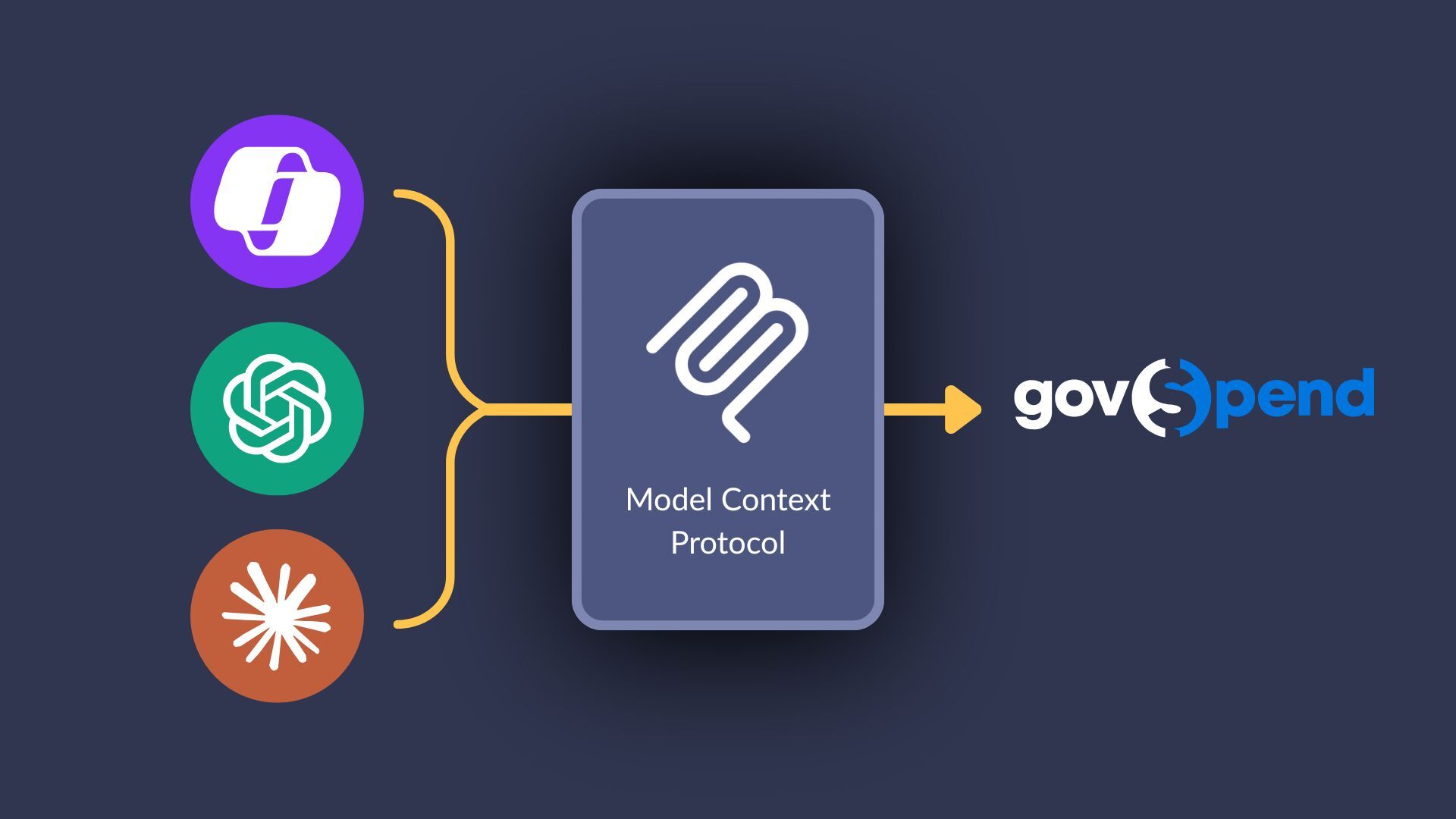
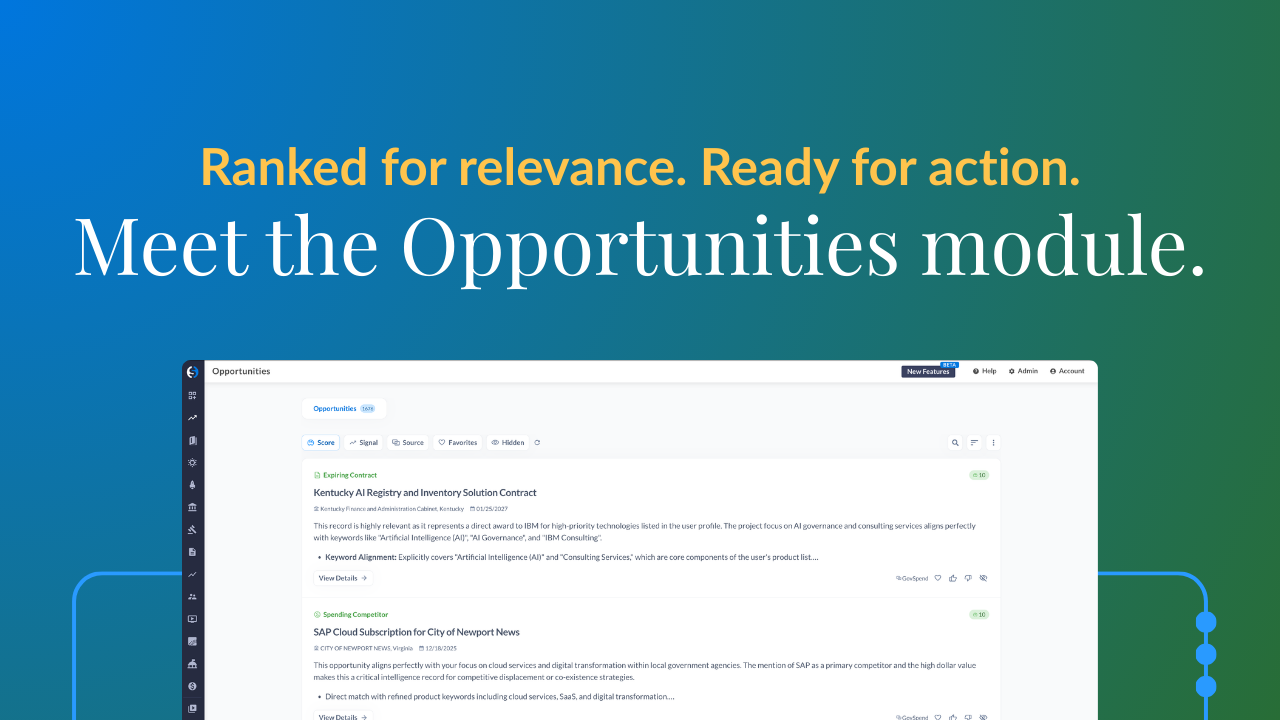
Hello. Good morning. Good afternoon to everybody joining us today. Catherine and I are excited to have you. I've got some folks funneling in. So while we've got our our, attendees joining us today, I'll go ahead and just give you a little bit of housekeeping. So today, Catherine Sanders and I are gonna be walking you through how GovSpend is meeting you where you're at as an organization, as a customer, in your AI journey, in your tech stack journey. And overall, we're gonna be taking you through a series of different features and functionality from inside of our platform all the way through MCP and taking you out of our platform. So to get us started, a few housekeeping items. We have got the wonderful Ally Miller with us today. She's a senior customer success specialist here, and most of you have probably seen her name or seen her on LinkedIn from time to time. But if you have any questions, please do drop those in the chat, and Ally will be monitoring that for us. Alongside that, we always get the question, will I get this recording? You absolutely will. You are registered to attend this webinar, and so you will be receiving all the goodies that come with that, which is this recording as well as a leave behind, which is gonna be our slides here that we have today. And within some of the slides, you're gonna find some really good and rich resources to be able to dig further into. Now if you do wanna go ahead and take a look at the slides that we have available for you today, if you are attending here, you have the ability at the bottom of the screen to click view additional information, and our slides are there as a PDF. So if you do need to pop off earlier, you wanna go ahead and download those and follow along, you do have the ability to go ahead and, again, click at the bottom. It's gonna be under additional info, and you can download that PDF. Alright. So looks like we've got a really, really good group here. So I think, Catherine, it is our time to go ahead and get started. So, again, today, Catherine and I are gonna be walking you through how we, as an organization, are meeting you where you're at, how our investment in AI as well as our launch of our MCP server is gonna fit seamlessly into the way that you work today, and you have a number of options in between our GovSpend AI and our platform all the way through querying and utilizing our MCP server. So overall, what are the items we're gonna be covering? My cohost, Catherine Sanders, is gonna be walking us through what we're doing with AI in the tool today. We're gonna be walking you through what we're doing in our custom user profiles, all the way through what you can carry into your CRM. From there, we're gonna shift and share a little bit of an update across our AI search, what we're doing behind the scenes to enrich that for you, and then take you outside of our platform and share what we're doing with our GovSpend Slack app, and then taking you into a live MCP demo and querying some information together in my cloud instance. So throughout this, again, if you have any questions, drop those in the chat and Ally will be taking care of us. And again, if you wanna take a look at the slides beforehand, feel free to click the additional information button below and download those. Alright. Catherine, I'm gonna turn it over to you. Thank you, Tiffany. Again, appreciate everyone being here. We're truly excited to show you all the enhancements across GovSpend we've introduced this year and how we're meeting you and your teams where you are and creating true a true value system of action in GovSpend. I'm gonna jump right into the demo. As Tiffany mentioned, all the features we reviewed today are available in that PDF resource. So if you want to learn more, you have that at your hands. So let's kick it off. From the moment that you log in to GovSpend, we want your experience to be customized. That's really the only effective way we can truly meet you and your teams where you are. So early in this earlier this year to support that, we introduced the concept of an organization and user level profile. We wanna know more about what you and your teams care about so we can actually go and serve up insights directly to you without you having to do all that searching yourself. So as a GovSpend user, you now have access to this my profile section, which we released at the beginning of the year. So it has your personal information here. But more importantly, it has more robust information about what you care about, your product and service offerings, who are your competitors, what agency types do you sell into, what's your go to market strategy, your general industry focus? And what's your state and region of focus? And so what we do is we actually use AI to generate this profile for your organization using your organization and your organization's website. And then we push that to every individual user at your org. The beauty is is that as an individual user, you can then customize this profile to be very specific to you. So maybe my organization serves the entire US, but I only focus on Florida and Georgia. So I might come in here and cater my individual user profile just to Florida and Georgia. Why is this important? Like I said, this profile information is now becoming the backbone to your GovSpend experience. We're currently using this information to fuel our opportunities module, which I'm gonna show you all in one minute. It is used as context behind the scenes of many of our in platform AI features. And most recently, we've introduced it within our MCP. And this means that you are getting highly relevant information served up to you and more customized to you without you having to do that work behind the scenes as you're searching through the platform. So throughout this webinar, you'll see where the profile is impacting your experience today. And also know that this is a high level focus for us going forward, making sure that the profile is capturing what we need about our users so we can really fine tune your experience. We're actually about to kick out off another project to kind of do some more granular territory building, getting getting you deeper than just your states and regions served. So that's one area where we're focused on coming very, very soon. So let's see how this profile interacts with opportunities, which is, one of our newest features that we released, about February, March of this year. So before I move on from the profile section, I'm gonna scroll down to this buying signal section, and this is very specific to the opportunities module. And what this allows you to do is tell us what events and signals in the market you care about. What do you wanna be notified and served up, within our platform or outside of our platform? And this can be both within GovSpend. So you'll see, you know, looking at our core core corpus of GovSpend data, meetings, contracts, bids, spending, but also what's out in the public Internet. Do you care about leadership updates or funding and grant announcements? So it's this combination of what events and signals in the market you care about with your kind of more robust and focused profile that serves up your opportunities in the opportunities module, which I will jump into next. So one of the most common complaints or pain points about GovSpend in the past has been that you have really great data, but it's very disparate and disconnected. I have to go in and do individual searches and connect the dots myself. The opportunities that module is meant to help solve that. So we are trying to bring together those GovSpend and web based signals all in one place, serve that up to you proactively based on your profile. No more heavy lifting search and keyword and filter searches that you have to do on your own, and allow you to take action more directly from within GovSpend or wherever you're sending this data. So a few things to point out with this opportunities module that you see here. Number one, you'll kind of see this score over here. So we're using a hybrid of kind of a lexical and semantic search to take your profile information and go across our GovSpend modules, all those signals you care about in the web, and find curated content for you and score that based on relevance to your profile. The other thing big big thing to highlight, as I mentioned, you know, as you scroll through here, you'll see here here's a recent open bid. Here's a meeting product mention. Here's expiring contract activity. You're not having to go module by module. It's all right here for you in one place, which is super, super powerful. The last thing I'll mention, you know, there's a lot of, filters here to help you interrogate and and look at this content. But, you can also let's say you just wanna know what to action today. You can easily filter your opportunities to today. So your team can come in and, you know, set a goal, hey, I'm gonna look at the nines and 10s in my bucket today. You're not looking through thousands of records, you're really taking action on the things that are most important to you each day, which is ultimately the goal of opportunities. So as I dive in a little more, and I'm gonna click open, this top opportunity here, a few other things to note. We're doing what we can to provide you supporting context to really, number one, understand the opportunity. So we've got kind of a general summary here, again, grounded in your profile. But what's even more important is this. Why is this signal important to you? So you're not just getting this is a bid, the bid description. This is, hey. We ranked this a ten, and here's why. It's got a strong alignment with your product keywords, a really good domain and market fit. And, hey, this is actually a very recent, opportunity coming up soon, so you should take action now. And this is very new new for us. And, again, really serves your team that actionable content as to like, hey, you can get out there and action this now. In addition to that, we've got some supporting information around the agency. You can access, attachments that are from the underlying record. We've also been focused a lot on the contacts. So, helping pave the path for you on those next step outreach efforts. So, we've added decision maker contacts from the agency directly on the opportunity. We also just added pulling forward any contacts from the underlying record. So, this contact is actually being pulled from the bid description or documents itself. It can come from a meeting or a contract. So, you know, really might be the right person to reach out to when you're ready to take that next step. And all of this supporting information is really driven towards helping you take action. And we've also put some kind of actionable next step within the product itself. So I'll draw your attention now to this kind of bottom toolbar. We've introduced a generate outreach email, which is using AI, the context of the opportunity, the type of opportunity, your profile information, again, and generating you a nice initial outreach email template that you can then copy or even open in your native email client and address to one of the agency contacts. So, again, helping your teams take the next steps to actually action this opportunity. We've also introduced this generate signal overview PDF. And what that does is generate a nice PDF. It provides all the information about the opportunity that you've just seen in that page. So, a summary, the why it's important, your contact information, associated documents, but also this supporting insight section. So, we're actually generating this from the additional content of the underlying record. So, think bid documents or meeting transcripts. So, we're giving you a little more information in detail, think kind of sales brief for the opportunity that may not be in kind of the initial summary section. So this is something that you can take, you can circulate to your teams, you can have it on hand when you start that outreach, and just puts all of this in a really nice format and gives you the context you need to take those next steps. And then last but not least, and this really goes along with the theme of meeting you where you are, I want to highlight our add to CRM functionality. So last year, we introduced CRM integration with HubSpot and Salesforce, where you can push GovSpend data directly into your CRM systems. With the opportunities module, our CRM integration is now much more streamlined and high impact for your teams. You only have to configure kind of your set of mappings for your opportunities. You're not having to think about, oh, how do I map a bid? And how do I map a meeting? And what fields should I use? You have a very succinct set of fields for your opportunities, and you're able to push meetings, bids, contracts, whatever, all through that opportunities pipeline. You can also send over that contextual information. So, you're not just getting, Oh, here's the bid description and here's the bid documents. You're getting, What is the score of this? And why is it important to you? So, your teams have that information directly in their CRM and know that it's a highly relevant opportunity and they can take action. And then last but not least, but you can also send over some of that contact information, again, to kick start that outreach effort directly from your CRM. And I think the most important thing to highlight too is that as you're sending these opportunities through to your CRM, you can be very confident that they are highly relevant and actionable. You are not pushing over the five hundred new bids that came into your bid search that then just need to be sifted through in your CRM system versus GovSpend. You're pushing very highly curated content that you know can be actioned by your team when you're pushing data from the opportunities module, which is very exciting. And so once you set this up, you can easily do this one by one within the platform. I can push this opportunity. But you can also set it up schedule. So from this settings menu or from your profile, you have the option to automatically push new opportunities directly into your CRM on a daily or weekly basis. You also have the option to push those via email alerts very similar to our saved searches. And again, you can be confident that that information being pushed is highly curated and relevant to you. It should not be a lot of noise or additional information coming into some of our kind of saved search, legacy saved searches. And we're going to continue to build on that. Next up, we're looking to integrate with Slack and Teams. We also have applications on our list to support in the near future. Alright, and before we kind of kick it over to the main act of MCP, I also want to tie this into some of the other AI features that we've released and enhanced throughout the platform this year. So I wanna go back to this opportunity, and let's say I wanna dig in a little more to this bid and and understand more about it. I can actually click this link, which will take me to the bid record itself, where I want to highlight a couple of things. So recently, we introduced this AI overview summary of the bid. It uses the bid description and the files to, again, kind of create that sales brief of what's most important for you to know in a very digestible presentation. Previously, we were displaying the bid description, which can either be very lackluster and have no information or be very kind of convoluted and mangled. So this really helps you right up front know what this bid is, and the important key information. In addition to that, we've continued to enhance our AI panel over here. So this is allows you to interact and interrogate actual bid record itself, so the single record. I mentioned, we've included the my profile, so you can now use your profile as context when you're asking questions. We also recently introduced open web as a source of information that you can, interrogate while you're using this panel. So I'm gonna pop open, a chat that I had, and just showcase both of those features. So I said, Hey, is this bid relevant to me? Now I know I got this as a ten from my opportunities page. So the hope is that, yes, it evaluates that. And you can see that, yes, it's able to reference my profile information, evaluating that it is very relevant to your products and services and your key kind of domain and market area, along with a, you know, very actionable opportunity now. So, again, curated responses based on what you care about most. I also went ahead and asked, you know, what other vendors has the University of Kentucky worked with in the past on similar products? You're not gonna get that from the bid itself. And this is where that web search comes in. So you'll see it's able to search the web, give me some information along with links to those web sources directly within the response. We really want this to be a one stop shop for you. We don't want you having to go out to different platforms to do research. So, bringing a lot of this together all in one place so you can find what you need, again, to take action quickly. And so, this AI panel here has been wonderful to allow customers to interact and get additional information about individual records. But we've been really focused on taking that further and allowing you to ask questions more around the whole corpus of GovSpend data. And that's where AI search comes in, which is the last feature I will review before handing it over to Tiffany. So, AI Search we introduced at the end of last year. And if you haven't checked it out recently, I encourage you to do so. We've made a ton of enhancements to it. The AI search is actually powered by our MCP. So, flows really nicely into the remainder of our webinar, but really shows you how you can leverage kind of that MCP functionality directly within Gov Spend. So what is AI search good for? This is a really great jumping off point within GovSpend. If you don't know where to start, you wanna ask a simple question, and you're not really sure what dataset to target or anything like that. So you can really kick off your research directly from here. It's also really powerful in doing more kind of analytics and aggregations. It's not just going to spit out safe search results. It can actually do more with the data and serve you up relevant content. So, again, I'm gonna jump into a conversation I had and set up here and show you some of the basic capabilities. So, again, your profile can be incorporated within the AI search, so you have those customized responses. You also have access to the open web as well. So I'm starting it off pretty simple and just saying, hey. Are there any other open bids in Kentucky related to my profile? So previously, I might go into the bids module, type in all my keywords, do my filters. Now I can ask this simple question, and it's gonna go into bids. It's gonna take a look, and it spits out for me other bid records related to my profile in Kentucky. It gives me a nice little why this is relevant, as well as a link to the record in GovSpend. So, basic functionality, but much quicker to get that information in your hands as opposed to going through building a safe search. And then now the power comes in. So maybe I wanna understand a little more about spending in Kentucky around my products and services. The next thing I asked was how much did states and municipalities in Kentucky spend on computer related products last year? So now it's actually going into our spending module, aggregating that data, and giving me those kind of top level spend values directly here. In the past, again, this would have taken probably multiple spending searches, exports, pivot tables to get to this information, but it's able to turn that around very quickly. You'll also see that it suggests next steps. This kind of helps guide you into what capabilities the AI search has and what things you can ask. So I went ahead and said, yeah, show me top vendors and top buying agencies in Kentucky for these purchases. So it's kind of taking this information and breaking it down further for me. So, it's giving me a nice list of the top vendors with this spend kind of broken out by what that spend is for each of those vendors. Same with those top buying agencies. So, this really becomes your tool to just keep drilling down and getting to the information you need in a much quicker fashion than doing, you know, different saved searches and trying to connect the dots yourselves. Again, accessing all our content in one place as opposed to in disparate separate datasets. And then last but definitely not least, I want to highlight one last thing that's very new within AI search, but showcases our strategy going forward to really continue to build our data in GovSpend and make that accessible to you no matter where you are or how you're ingesting our data. So our data teams have been hard at work. We've gotten many requests in the past for things like budget documents, capital planning. And in the past, that's been kind of a whole thing to think about putting that in the product. Well, now it's much simpler, and our teams are going and getting that content for our customers, and we're making it accessible to you in our AI features like AI search. So the first focus that has we've had is on those budget documents. So you'll see here I I asked, do you have any budget documents available for Kentucky? Well, yes. We've been able to pull in the Kentucky state budget and Louisville state budget. So, I can easily open that up and get that document directly within GovSpend. So, if I want to look at the budget, I can do that. But even more powerful, I can actually interrogate and ask questions, you know, get more information from that document using AI search. So I went ahead and asked, can you provide budget sections related to IT computer spends and their allocated amounts? And our AI search is able to go into that budget document, curate that data, find those rich contextualized set of texts, and send that to me and put that in a nice table format. So really, really exciting for us. Like I said, this is very much in progress right now, but really shows how we are leaning heavily into our data here at GovSpend. Whether you access our content via CRM, emails, API platform, or our AI features, or directly in your systems via MCP, It's the data that really makes our features shine and sing for you and can deliver you the insights that you and your teams need to take action efficiently. So we're really embracing that strategy throughout this year and beyond. And I'm super excited to hand it over to Tiffany now to showcase our data in action within MCP and even closer to the tools you and your teams work in every day. Excellent. Thank you so much, Catherine. So as Catherine just walked us through so many different just improvements, enhancements that we are doing across to GovSpend, a key question that we often receive is, how should I be prompting? How should I be asking your specific AI tools to ensure that I am really digging into what I want and I'm gonna get the results that I want? So our wonderful team here has put together an article for you that is linked on the deck that you can download and will be sent out with this recording that allows for you to kinda be guided through how to prompt in GovSpend. Now this is gonna be specific to our AI search in our Slack app, which you're gonna see next, as well as our AI features throughout the platform. These are all linked. One golden rule that I like to share, that a teammate of mine said to me is if it's blue, you can click through. So there's PDF documents that you are seeing, Catherine, download from our signals as well as contacts or different areas across GovSpend. It holds true in our resources as well. If it's blue, you can click through, so feel free to dive into these prompts. Look through this guide get familiar with what good looks like when it comes to interacting with our AI. Now from here, let's go ahead and shift gears into how we are meeting you a little bit more where you're at. We all know that as some sellers or leaders on the line with us, you're probably traveling. You're probably out there visiting customers, seeing prospects. And one of the key things that you have with you when you travel at all times is likely your cell phone. And with that, I wanna ask the team, if my if my backstage cohost here could go ahead and launch this poll, I wanna ask you all, what is the internal messaging tool that you're using today? Is it Slack? Is it Teams? Is it another one? Let us hear from you because we are doing some due diligence to ensure that we are putting investment in the right tools for you. And while I talk a little bit about having your phone with you, one of the key pieces of feedback that we've always heard is, you know, when I get into your platform, I I have the ability to set up email alerts that I can see via email. But when I click into it, it goes into wanting me to log in on my computer. So with the Slack app, if you have the app on your phone, you can now query or ask questions within GovSpend very easily and just at your convenience. So I'm gonna go ahead and pull up a sample here what this looks like in my own instance. And you can see here on my screen, I have just got a a channel that I started with my cohost here, Catherine, and I've just added the GovSpend bot. And so I just started asking it questions. So initially, I said, please share the most recent bid for Chromebooks. When I do that, it might ask you some clarifying questions just based off of how detailed or how aligned your prompting is or what you're looking for. So you can interact with it here. As I continue further, you can see I just asked a very open ended question. Does the city of Chicago purchase through VARs, value added resellers? I could have put some resellers in there. Does the city of Chicago buy through procurement vehicles like GSA? Do they use GSA, or do they work with CaraSoft or Sourcewell or SHI or any of these? So if you are to put specific ones in there, it's going to look for that in a specific way. But if you leave it open ended, it's still gonna do its due diligence. And you can see here I've got kind of a Rolodex of what this looks like, and I can continue to interact with it. So our Slack app today, you do have the ability to add this today into your own Slack instance. We are currently working very hard to get published in the marketplace. And part of that, I guess, approval to get published is to have a certain number of organizations interacting with it. So I just wanna put out the ask to you that if you are open and willing to download our Slack app in your in your specific instance and start interacting with it, we'd love to hear your feedback. We'd love to hear any others that maybe you feel would be a huge benefit to bring to the table for you as well. I'm seeing lots of Teams, lots of Slack, some unique ones here, so thank you so much for that poll. As far as getting set up with Slack, again, going back to the resources that we're gonna be sharing, we do have an article available for you to be able to follow a link to get that downloaded. Alright. Now as we continue today I'm gonna go ahead and get out of my my Slack app here. As we continue today, I wanna go ahead and shift us into MCP. As Catherine said, that is kind of the star of the show. If you are familiar with MCP, you know it's the new buzzword. I've had partners share with me, as I've been, you know, our commercial lead and taking this to market, so many different pieces of feedback around. You know, I really feel like MCP is gonna be the replacement to APIs, but not every organization is really ready for that just yet. There are organizations that are working to determine what's your AI strategy? What's your AI budget, or do we just want certain teams being able to utilize this? You've really gotta fine tune what does that look like as you start to look at MCPs and all of the other tools that are available to connect to MCPs, query with different pieces of data, and build workflows. So just diving in, MCP stands for model context protocol. And our MCP, it allows you currently to connect very cleanly to things like Copilot, Claw, ChatGPT. We do know that we have some customers using Gemini today. We're working with Google, but it's a limitation on their end. So these are our three main ones today that we connect to. Now what our MCP really unleashes is the ability for you to be able to query real time access data regardless of if we expose it in our platform today or not. So going back to what Catherine shared around the work that our partners in our data team, Octavio and his team, are doing to really build a wealth of budget docs and AI governing stocks and things like capital improvement plans, you can query against all of that even though we don't have a specific module for it today in our platform. It also gives you the ability to connect other tools to it. So one of the other questions that I I'm gonna ask my my teammate launch here in a poll is, what are the other tools that you're using today to be able to work within your LLM? So you have the ability I've heard things like Outreach, SalesLoft, Gong, connecting to Canva, other tools out there that just kind of allow you to connect within your LLM. And I see we have a lot of Claude users, Copilot. We have some Gemini. You have the ability to connect everything in this one kind of consistent location. What you're gonna see me using today is Claude. And so in my Claude, I have our MCP. I also have it connected to our Salesforce with agent force launching and the ability to go ahead this there. You have the ability to really be able to connect a lot of different things. So as we continue forward into some samples of MCP, this is kind of a a gut check. Are you a good fit for MCP today when it comes to GovSpend? And it's gonna be kind of taking into consideration where you're at in your a journey and where you wanna be as an organization. So are you already using LLMs? Do you want to query multiple datasets or your internal proprietary information, like your go to market information or your own pricing books or your own book of business account list and query against it? Do you have the right technical resources and approvals to do this? Alongside that, it really is gonna come into a understanding of when you have all of this at your fingertips, what do you wanna do with it? MCP allows you to get very, very creative. You can do things like pull queries every day, which you're gonna see me do shortly, all the way through building completely new tools and workflows. So it's it's I'm gonna say limitless in a sense of it's really up to your creativity and if you have the right kind of overview when it comes to what you wanna do in AI. So without further ado, I'm gonna go ahead and transition us into Claude. And when I'm in Claude here, what I will say is I have pulled some examples already for you to be able to kind of see and experience how we work. And I'm gonna pull some examples of different industries in here. But if you're very curious about what it would pull for you, I would love for you to maybe drop that in the chat or send a a note to your relationship manager and share with us the prompt. We may not get to it in our presentation today, but I do wanna be able to provide to you an example or a sample of what it could do for you. So getting into MCP, what I have first created for you to be able to experience this is really just an interactive tool to be able to query different pieces of our data. So for example, I've got it broke out by SLED, state, local, education, and federal data. And within this, if I was to just run a quick a quick button, a quick sample here, I could literally just hit run city of Phoenix spend, and it's gonna go ahead and put that as my prompt. As you guide through this, how I have set this up is to show me what it is doing. So you can see here, I'm connected to the GovSpend integration. I'm loading the tools behind our system prompt and how we've guided our MCP to work, and then it's gonna kind of walk us through the different areas that it is tapping into within GovSpend. You'll see things like spending, bids, contracts, documents, etcetera. Now as this is running, I wanna kinda go back to the prompt guide here. When it comes to querying data, what we have done when it comes to GovSpend is we have built really a robust system prompt to guide different data points being pulled together. One of the beautiful things about putting this in your hands is is we really strip away all of the filtering, all of the maybe nuances of building reports in GovSpend, and we give you the ability to run prompts as intense as you would like. So if you wanted to run something that was like, hey. Here's a upload of my enterprise accounts, and I wanna see everything you have from budget documents all the way through the last five years of purchases into meetings where they're talking about this product, these keywords, this company. You can do that. When it comes to how you share that information, I'm querying things in the in the MCP and my cloud right now to work just building kind of dashboards for me to interact with here. You do have the ability to say, make this make this a document. Make this a PowerPoint, write me a sales brief that I can copy into my email. You can kinda guide it based off of the LLM that you use today. So you can see here based off of my query, it was very fast to respond to what I'm looking for. It also gave me key data points at the top, top vendors, quarterly spend, and then additional items that I can continue to drill into. Now when you wanna get more specific, I'm seeing questions in the chat around, can you use CoWork to create automated workflows within a detailed project? Absolutely. If you wanna get more specific and you've got the right technical resources and the experience to be able to create those workflows, you can really build within your LLM whatever you want. So going back to the poll question around what other AI tools are you using today, let's say, for example, you're using Outreach or Gong or you are a Salesforce customer and you're connected in that. You have the ability to query our data, build agents and workflows in your LLM, and have that action in other areas. How that will work for you when it comes to what does that mean for the proprietary data that we're getting from GovSpend is through a workflow like that, you're gonna have the ability to really do that on our end in a limited way. However, when it comes to exporting the information, it's gonna tie back to your specific monthly exports. So if I was to say, okay, Claude. Go ahead and export this in an Excel spreadsheet. It's gonna actually say, oh, woah, Tiffany. Do you wanna use ten credits to do that? And if so, it's gonna tie right into your LLM to be able to do that. So querying, building workflows, absolutely, you can do that. That is up to you and your discretion. However, there are still limitations and security measures there to protect our data, ensure that you're not just taking copies of it. So let's go ahead and run a custom query together. So I'm gonna go into a new chat here, and I have I have done some due diligence and wrote out a couple of prompts. The first one is gonna be one that my wonderful peer, Paige Mokler, has been sharing around creating a weekly sales brief. So what I did is I turned that into more of an industry focused weekly sales brief where I am a sales intelligence assistant for a k through twelve curriculum provider. And within this, my focus is on curriculum and digital learning. Below here, this is my this is my prompt. And below here at the end, I can say, make this a doc. I can say, make this a PowerPoint. Put this into a workflow for me. When I do this, you will be able to see in real time how it is working to build this. I'm gonna go ahead and give it a second. So it's go it's getting all of the tools. On your end, if you have workflows built connected to this data, it's gonna first pull GovSpend. And we have set it up in a way to where it's gonna run multiple queries at one time. So going back to Catherine's point in opportunities where you now can see all of the signals among the noise in one spot, MCP works the same way, where you don't have to run these queries one by one in specific searches or in specific modules. You can query against all of the data at one time, and our system prompt is trained to run all of those searches at one time to see those trends, to take into consideration all of the items that you may have uploaded with it, to be able to marry that with your internal data as well. Okay. So you can see here, just going back to my example, it's now looking at bids. It's now loading the tools. It's looking at spending here. And, really, based off of your prompt and what you're asking, it might take longer at times to run different queries. But, overall, the way that I look at this is when we're meeting you where you're at, one of our goals is to get you to value at a very effective and efficient way. And when you have the ability to be able to query the data across the board versus individually, it makes such a world of difference to have that data help you tell the story. Alright. So as we continue down, this is a great example of now you can see how Page had set up this prompt for us to dive into a specific industry. It did bids. It did spending, looked at contracts, now looked at contacts, and now it's creating a doc. Alright. So here we go. It's creating the sales brief now too. One of the other cool things that I've seen Paige do is also connect to other tools like LinkedIn and Canva, and be able to maybe even write some prompts alongside those other tools as well. So those are just some creative points there to be able to think about and your specific workflows and how you may want to tap into other areas of the Internet and other tools that you may have access to. Okay. We're almost there. I can fill it. So within this, I I am seeing some additional questions around MCP, so I'll go ahead and just look at a few of these. So there is a specific question asking around other LLMs. So going back to where we are today. So currently, we have started with Claude, Copilot, and ChatGPT. There are some other tools out there today that we've been asked about, connecting directly into, like, some developer tools and things like that. I don't think we're at that point just yet. We're kind of at a stepping stone phase. But if you are curious about if your specific LLM or tools can connect to the MCP, definitely reach out. Let's have that conversation, because we wanna understand what the need is as well as we continue to invest further in our MCP offering. Okay. Some other questions here. Oh, I saw somebody said, yay, Claude. You got it. Cool. So somebody else is asking, can we connect our GovSpend Slack channel, or do I have to have the MCP to do that? Just a clarifying point here. Our MCP server does power the Slack app. It also powers our AI search and a couple of other areas across our offerings. However, you do not have to have access to the MCP in order to have access to the Slack app or to be able to utilize our AI search. So you do have the ability to go ahead and add Slack today if you wanted to, as well as utilize our AI search without having, provisioning to the MCP and having that connected. Okay. I also see some questions around downloading. So just going back to exports. When it comes to the MCP, you can query information, you can summarize information, pull it into different formats. But if you are asking for line by line information, it is going to ask for your approval or the okay to be able to pull that out in a CSV or an Excel, sometimes, I guess, Google Sheet if you have that connected there, and you'll be able to see all of those exports that you're pulling out in your specific account. Okay. So this is still building my my specific document here. I know this is gonna be a really good one, when it comes to fruition. But one of the things that I did is I pre ran this so you guys didn't have to wait. So seeing everything here, you can see in the real time, there's twenty agencies across four intelligence categories. So you can see contact, LinkedIn, actions for the week. Here's section one. It dove right into our meetings. So our meeting module, section two, our expiring contracts, section three, spending, and then section four, open bids. Now my Claude prioritized the top opportunities just based off of what I told it to do. In your specific instance, you may have the ability to or you will have the ability to kind of guide it. Hey. Here's what we look at as our ICP, as our TAM that we're going after, what our go to market is, and am I reprioritized that? So just take this into consideration that this is just looking solely at GovSpend. Here is the document that it created. Let me bring this over. So listen. If you're a k through twelve curriculum provider and this would be helpful for you, reach out. I'm glad to send this over to you. You can see how it went from my interactive dashboard into now being able to see all of the information organized by the specific opportunities, giving you that weekly sales brief. Okay. Let's do another one. So as Catherine shared, one of the things that we have been doing is working very hard to build out our document repository. So I asked my Claude to take a look at all of the documents across GovSpend. This is the prompt that I used, and again, you can see it's just a demo prompt here. So I said, I wanna see everything tied to cybersecurity. I wanna see everything tied to state and local government, and I want you to look across everything. So that's documents and meetings, documents and bids, documents and contracts, as well as all the documents that we do not expose today that's living within our AI search in our document repository. So it went through and it built this, but what I wanted it to do is create kind of an interactive dashboard. So I had it create an HTML code. This is just another formatting option, and here's what that looks like. So based off of the data and what I asked of it, it ran the focus for cybersecurity. Here's the quantity of each specific type. And as I continue to scroll down, here's that corpus scope, the overview of that budget allocations for cybersecurity by agency and fiscal year. And if you don't know, in our agencies module, we do add the fiscal year for agencies. So if you're wondering or you're new to a territory and you wanna know what's the fiscal cycle, feel free to check that out. You could even get MCP and query against that. So within this, you can see as I hover over and look at different pieces, I can dive further into this. I can refine this further. Oh, Catherine, I'm sorry. Did you have a comment to share? We lost your audio for a little bit, probably about thirty seconds or so. So maybe just start at the top of the Oh, okay. Yes. Thank you. Yeah. Thank you so much. Sorry about that. I'm not sure what's going on. Will say I'm in the Midwest in Kansas, and we are getting some terrible weather. So I apologize. Thank you so much, Catherine. So what I was sharing is in that specific MCP query, I had asked it to create an interactive HTML dashboard. So that is why you're seeing it in my browser right now. And as I was just scrolling through here, I was just sharing kind of here's the overall scope. Here's the budget allocation, here's the different agencies, the fiscal year, the programs that it's noticing or seeing. Now, cybersecurity is very general. When I just use that word, it can go so many different ways. You have the ability to get very specific. Maybe it is in ransomware. Maybe it is in I mean, all of the different things. I'm not a cybersecurity expert, but all of the different things. You have the ability to dig in even further. So as I scroll down, here's where the bulk of cybersecurity funding is going. And then across all of the documents, here's six dominant themes. So one of the really cool things that I appreciate about the MCP is it takes it a step further. It allows you to query across our full database. It allows for you to see trends, to analyze in a number of different ways. It can pull forward different themes, and it allows for you to be AI first for your organization. We then become a very rich and powerful data provider for you, and you have the ability to determine what do you wanna do with that data. Do you want to fill the funnel with your sales org? Do you wanna work with your product team and help them see what are new new products coming out with? What are they charging for that? Are there companies that we should look to acquire maybe? It allows you to see so many different things. But one of the coolest parts about it is you're not just getting access to the data that we have today and previously. Octavio and his team worked very hard to grow our data every single day. And last I looked, on average, I believe we were adding about twenty five thousand records every day. That gives you the ability to query new information every single morning, every single day, as often as you would like to, and that data hits our MCP server before it hits anywhere else. So you get kind of first hands at it, first look at it if you want when it comes to that. So from here, I wanna talk a little bit about that prompt library that I was talking about earlier. Our team has done some work to align how this prompt library can guide you if MCP feels like it could be a good fit to trial it appropriately. We only know what we know. So I wanna just share this with you with that disclaimer that this is just a jumping off point. This gives you the ability to kind of get creative. But when you come into it, you can kinda see overall what each specific category represents. From there, you can click into specific, personas, thoughts, different maybe workflows that you're considering, and then you have the ability to simply see that prompt or copy it directly. When you copy it, you can then go right into your LLM. You can replace all of the different items that are mentioned up here, and you can run as many of these prompts as you would like to on your end. Alright. So I know we're down to our last ten minutes. And if you know me or you have been in a meeting with me around MCP, you know that I could talk about it all day long. I feel like MCP is one of those things that allows us to give you the king the keys to the kingdom, if you will, and the ability to really align what our team is doing to bring really, really strong data to your organization and capitalize on it. So going back to our specific deck for today. When it comes to evaluating MCP, we have put together kind of an overview of what to consider. We have seen some really cool things being created. We have got a customer that created an entire kind of workflow that flows right into their CRM. We also have customers that are looking at it to drive propensity and partnerships. I mean, it's really, really it's really, really cool to be able to see all of the creativity coming out of it. So I would just encourage you that as you are evaluating MCP and determining, is it gonna be a good fit for you? Think about what you wanna be doing with the data. And if it is querying the data, building workflows with the data, setting up automation with the data, this is your fit. This is your specific tool to be able to test that out. Now if you are not ready for that, if you are still trying to determine or work through internally, what's our budget for AI? What tools we wanna use, and who wants to be using it. I would encourage you to take a look a little bit further at our other offerings. So, yes, we have MCP, but just because we're launching MCP, it doesn't mean that any of our other offerings go away. So as Catherine shared earlier, we do have CRM integration with Salesforce and HubSpot today. We also have API. So we have something called a REST API that allows for you to pull data from specific searches. So if you are wanting to pull bulk data and query that internally in a different way or use it in a different way, that specific functionality is still there for you. And then, of course, we do have the ability to get you started with the Slack app. If you can't tell, I'm very excited about it because I think it's one of the unique things that we can do to give you the power of our data at your fingertips when you need something very, very quick. The one item that's not listed here that I will just, I guess, drop a little bit for you is it's not widely known that we have single sign on. So if you are an organization that would like to get set up with single sign on, that is something that we do offer that we would be glad to set up with you. If that is something that you do wanna get going with, there's no cost to it. You just wanna reach out to your relationship manager or reach out to our support line, and we can get you connected appropriately to get single sign on set up for your organization. Okay. So with that, our last piece here before we go into question questions. Catherine and I have really shared a lot around how we are meeting customers where you're at from within our platform all the way through just giving you access to our data and letting you run with it. And within that, there's a lot of different steps in between. So what we've done here is in this leave behind that you're gonna get with this recording, everything that you see here is linked. So feel free to please go through, review the different offerings, determine what is gonna be the next right step for you. If we're missing something or you feel like, you know, GovSpend could really take us over the edge if we did this, we wanna hear about it. Part of what we do is when we meet customers where they're at is we wanna understand where is it gonna make an impact for us to invest. So if there's something that you feel like we could be doing to improve your experience, to add more value to your organization, let us know. Let us hear that, again, your relationship manager or support. Okay. So with that, I wanna go ahead and shift to questions. I see so many different pieces in, the chat and the private chats here. So let me just take a quick look here. Okay. So within this, somebody asked, can you share what unique identifiers you have that enable us to do the integration? Absolutely. On our help site and we will you know what? Maybe we'll add that as a resource link to our leave behind here before we send it out. We have something called available fields. And what that does is it lays out very organized for you to be able to see everything that you can filter against within our different modules, as well as query against within MCP or pull over in your CRM. So it lays it out very, very cleanly and well for you to determine what you want to be digging further into. Okay. Somebody is asking here, can you tell us if there is a price to MCP connection to Quad? Let's talk about that just a little bit. It's always gonna come down to finding the right fit for you. If MCP is something that you wanna learn more about, it is something that does have a line item price tied to it. So I would encourage you to reach out to your relationship manager, and let's have that conversation. The other side of that question, I'm gonna answer both piece of pieces of this just to make sure that I'm covering all bases. Connection to Claude. As far as, the Claude side of things, that is gonna be internal to you, The security of the LLM that you're using and how you are querying within that, that is all within your organization. On our end, it's just a matter of talking through MCP, diagnosing that, and our commercial leaders that are assisting with customers here, we can get you connected in trials as well. Those trials are free, so you have the ability to test it out before committing to any cost to really determine if it's gonna be a good fit for you. Awesome. Thank you so much, Lindsay. Lindsay just dropped in those available fields in the chat. So if you wanna take a look, they're there, and we will add them to our resources here. Okay. I wanna thank you all so much for spending time with us. It was just a joy to be able to talk through everything that we are doing and how we are investing in GovSpend today alongside Catherine here and Allie in the chat. If there are additional questions that come up as you are replaying this back or marinating on all of the things that we've shared today, please don't hesitate to reach out. We wanna hear from you. And without I guess with that, Catherine, thank you so much for co hosting today. It was great. Thank you, Tiffany. So much fun and excited to connect with all of you more, feedback, and, you know, keep moving forward with the power of GovSpend. Awesome. Alright. Thanks, everybody. Enjoy the rest of your day.
Getting value from a procurement intelligence platform shouldn’t mean stopping what you’re doing to go find it. In this webinar, GovSpend’s Tiffany Grover and Kathryn Sanders walk through the full picture of how GovSpend meets you where you already are — from the platform itself to the tools your team uses every day.
Please register to view our webinar library
We partner with industry leaders to deliver actionable webinars that give you new insight into government procurement.