MCP for government contracting enables your AI tools to draw on real procurement data — actual contracts, purchase orders, active bids, and agency spend records — rather than relying on web searches and public mentions. This post covers what it is, how GovSpend’s MCP Server works technically, and what your AI can actually do once it’s connected.
If you’re trying to decide whether MCP is the right fit for your team, we cover that separately here.
What is MCP For Government Contracting?
Model Context Protocol (MCP) is an open standard that lets AI tools connect to external data sources through a standardized interface. Without it, AI assistants — whether that’s Claude, ChatGPT, an internal copilot, or a custom application — are limited to publicly available information. With GovSpend’s MCP Server, they can read the government record directly.
For government contracting teams, that means your AI can pull from one of the most comprehensive procurement datasets ever assembled — on demand, inside the tools your team has already built.
What’s in the Government Record
This is what makes MCP for government contracting different from a generic AI integration. GovSpend’s dataset includes:
- 2 billion+ purchase orders
- 96 million+ contracts
- 10 million+ agency contacts
- 2.3 million+ public meeting transcripts
That’s not scraped from the internet. It’s the actual record of what agencies have spent, who they’ve bought from, when contracts expire, and who the decision-makers are. When your AI can read that, the quality of what it returns is categorically different.
How GovSpend’s MCP Server Works
From a user perspective, it feels like any other AI interaction — you ask a question and get an answer. Behind the scenes, your AI recognizes when it needs GovSpend data, sends a request through the MCP Server, which pulls the relevant records and returns them. Your AI uses that data to generate a response grounded in the actual government record.
Setting it up is a four-step process:
- Generate an API key inside your GovSpend account
- Configure your MCP-compatible AI tool to connect to GovSpend’s MCP Server endpoint
- Authenticate using your API key
- Begin querying GovSpend data directly from inside your AI tool or agent workflow
Setup requires comfort with API keys and terminal environments. GovSpend provides guided setup support through your Relationship Manager.
What Your AI Can Do With MCP for Government Contracting
Once connected, your AI can run the full government sales workflow on demand. Here’s what that looks like in practice:
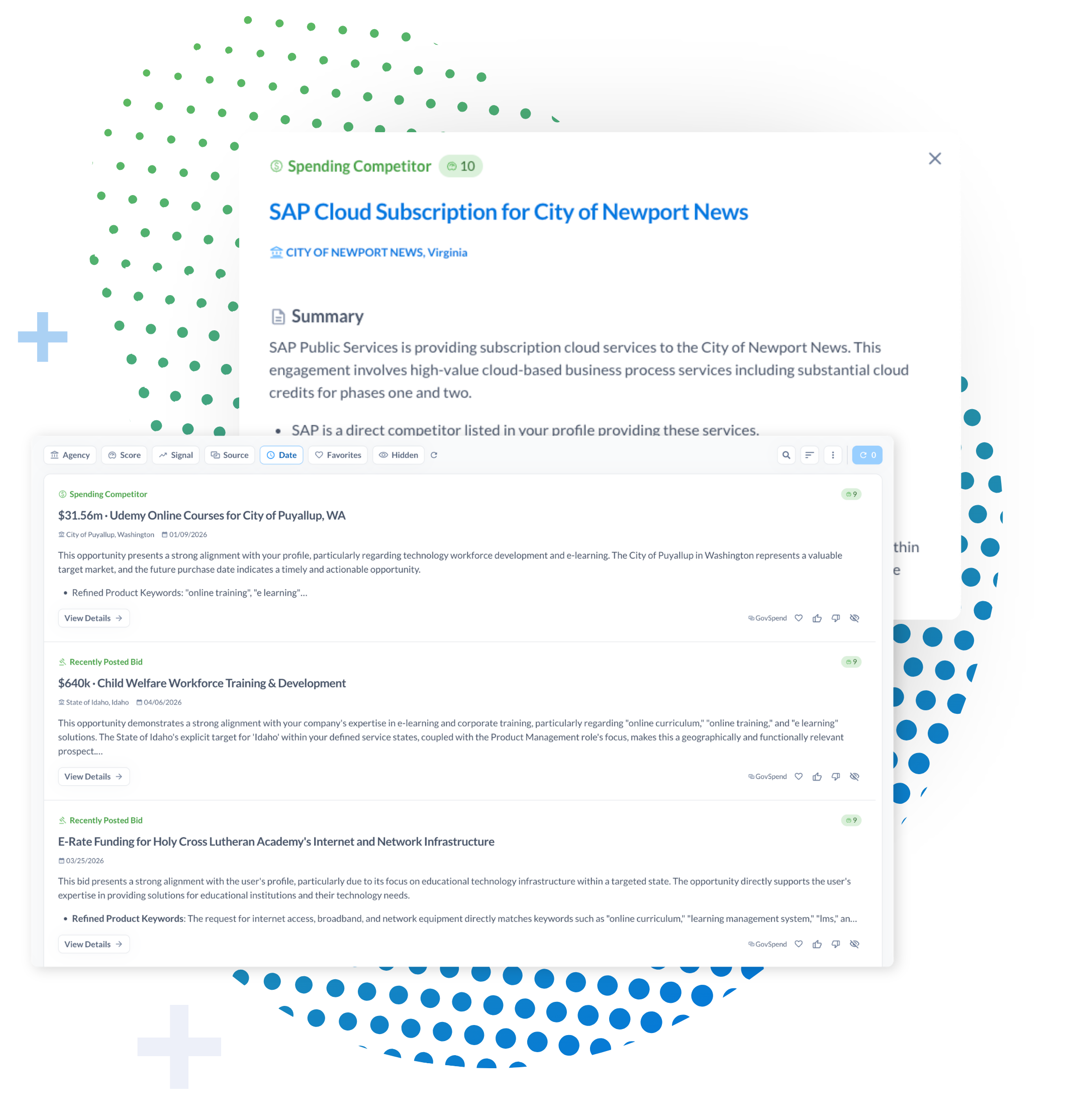
- Pre-call briefings: pull an agency’s category spend, top vendors, active bids, and expiring contracts in a single query
- Renewal-risk scans: surface the contracts closest to expiry, with incumbent, value, and end date
- Competitive displacement: see what the incumbent has been paid, for how long, and on which vehicles
- Contact lookup: find decision-makers tied to the buying function, ranked by data completeness
- Meeting-triggered outreach: chain a meeting mention to the incumbent contract, the dollar value, and the right buyer
These are prompts GovSpend teams are running through the MCP today.
Which AI Tools Work With GovSpend’s MCP Server
GovSpend’s MCP Server is compatible with MCP-enabled tool or agent frameworks, including Claude, ChatGPT, CoPilot, internal AI copilots, and custom LLM-based applications.
It is worth noting that getting started with MCP requires a level of technical comfort. To access the MCP server, your team should be familiar with concepts such as API keys and comfortable installing or configuring applications, often via a terminal environment.
Is MCP Right for Your Team?
That’s a separate question — and one worth thinking through carefully before starting setup. The short answer: MCP is built for teams already running AI in a structured way, with technical resources available for configuration and maintenance. It’s not the right starting point for every organization.
We wrote a full evaluation guide to help you work through it, here.
If you’re ready to see how it connects to your existing stack, request a demo here.
For current customers: contact your Relationship Manager or reach us at support@govspend.com.
Frequently Asked Questions
What is MCP for government contracting?
MCP (Model Context Protocol) is a standard that lets AI tools connect directly to external data sources. For government contracting teams, it means connecting AI assistants to real procurement data — contracts, purchase orders, active bids, and agency spend records — so they return answers based on the government record, not web searches. GovSpend’s MCP Server is built specifically for this use case.
How does GovSpend’s MCP Server work?
You generate an API key inside GovSpend, configure your AI tool to connect to GovSpend’s MCP endpoint, and authenticate. Once connected, your AI can query GovSpend data on demand — searching records, pulling contract history, and returning answers grounded in actual procurement data as part of any workflow you’ve configured.
What AI tools are compatible with GovSpend’s MCP Server?
GovSpend’s MCP Server works with many MCP-compatible tools, including Claude, ChatGPT, CoPilot, internal AI copilots, and custom LLM-based applications.
Do I need technical expertise to set up MCP for government contracting?
Yes. Setup requires comfort with API keys and terminal environments. GovSpend provides guided setup support through your Relationship Manager, but teams without technical resources may find the GovSpend Slack app or CRM integration a better starting point.
How is MCP different from GovSpend’s API?
The API gives developers programmatic access to build custom applications and data pipelines. MCP is designed specifically for AI tools — it allows AI assistants to query GovSpend as part of a natural interaction without custom code for each query. Both are available depending on your use case.
How is MCP for government contracting different from a standard AI tool?
Standard AI tools draw from publicly available information. MCP for government contracting connects your AI directly to the government record — purchase orders, contracts, agency contacts, and meeting transcripts that aren’t publicly searchable. The data behind the answer is categorically different.